
Official Announcement | Yangcheng International Logistics' MMD Overseas Warehouse Has Been Officially Certified as a TEMU Authorized Warehouse!

After becoming an Amazon SPN service provider and a FIST carrier, YangCheng International Logistics has established its own overseas warehouse. With its comprehensive overseas warehousing facilities and services, it has once again received official recognition from the platform and has officially become the official cooperation receiving warehouse of TEMU.
All customers can select "YangCheng International" as the cooperation receiving warehouse in the TEMU backend and authorize the performance service. If you have any questions regarding the authorization operation of the cooperation receiving warehouse, please feel free to contact your dedicated business manager at any time.
I. What is a Certified Warehouse
The TEMU platform pushes orders to the authorized receiving warehouses of merchants through an online cooperation and connection method. After receiving the orders, the receiving warehouses carry out operations and shipments and then return the order and shipping document status to the TEMU platform.
One-click connection: You can directly connect and use our warehousing services in the TEMU store backend.
Official recognition: The services of the cooperating receiving warehouses are guaranteed, and the fulfillment efficiency and data accuracy are more reliable.
Full-process service: From the warehousing of goods to shipment, we handle the entire process for you. You only need to focus on your store operations.
TEMU strictly reviews the qualifications of the cooperating overseas warehouses. The warehouses are required to pass comprehensive assessments in terms of warehouse area, system compatibility, fulfillment timeliness, last-mile delivery quality, customer service level, expandability of storage capacity, return and exchange services, and cost-effectiveness, to ensure compliance with the local fulfillment requirements of the TEMU local warehouse model.
II. How to Bind the Headroom Collaboration Warehouse
For semi-leased merchants, they can bind the collaboration warehouse through the AgentSeller interface in the backend.
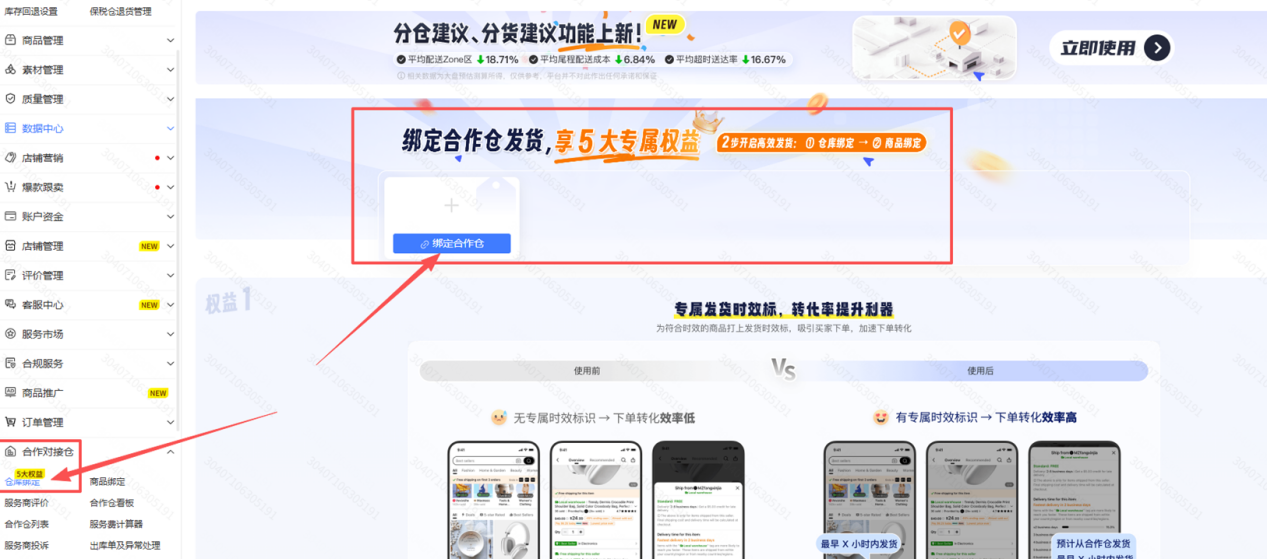
1. On the side interface, select "Collaboration Warehouse - Warehouse Binding", click [Bind Collaboration Warehouse], and select your collaboration warehouse service provider (single selection). If there are multiple, please bind them separately.
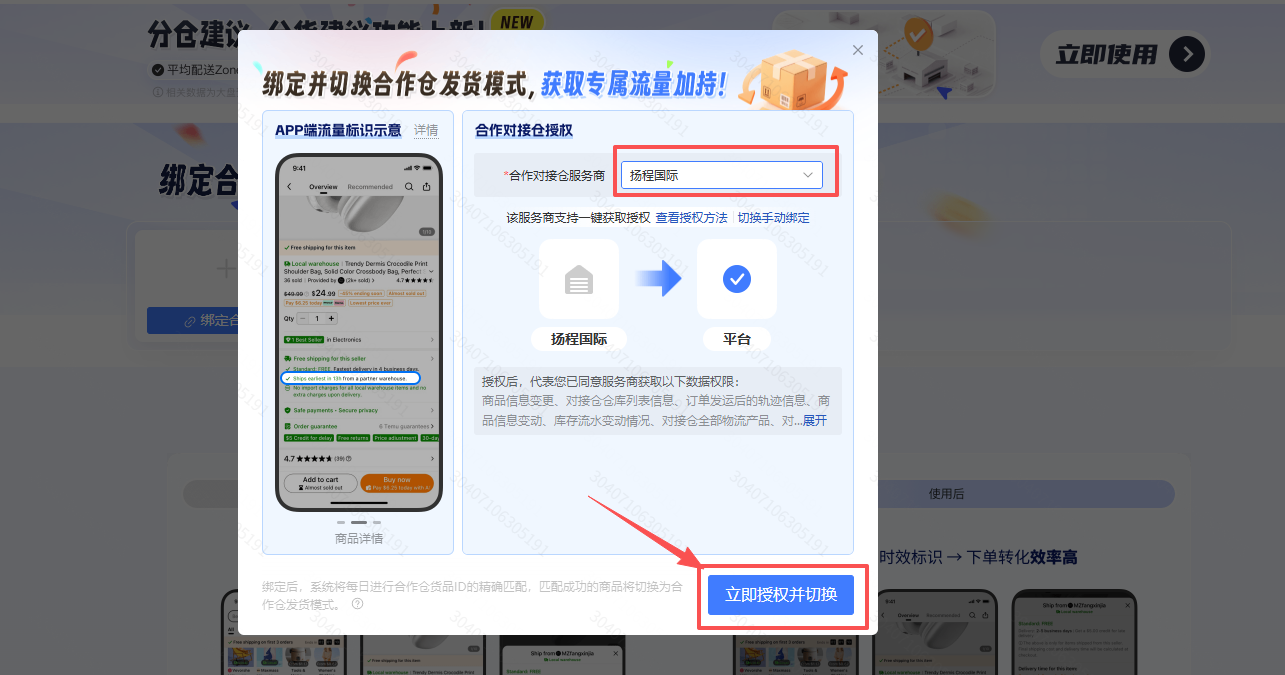
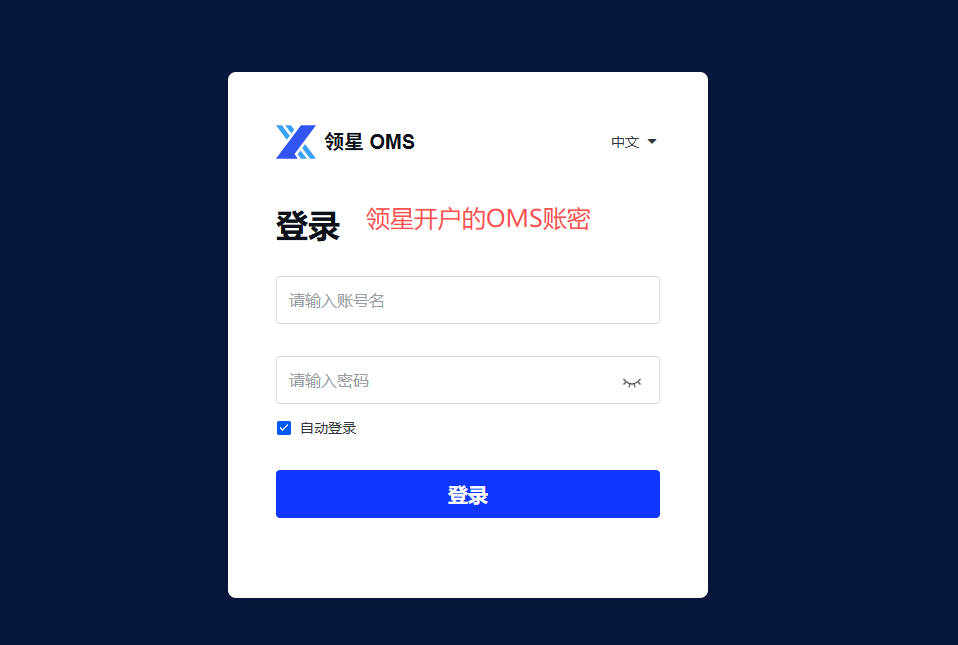
2. In the pop-up window, in the drop-down list under the "Cooperation and Connection Warehouse" section, select "Yangcheng International" as your service provider. Choose "One-click Authorization" and it will automatically redirect you to Lingxing OMS account for binding.
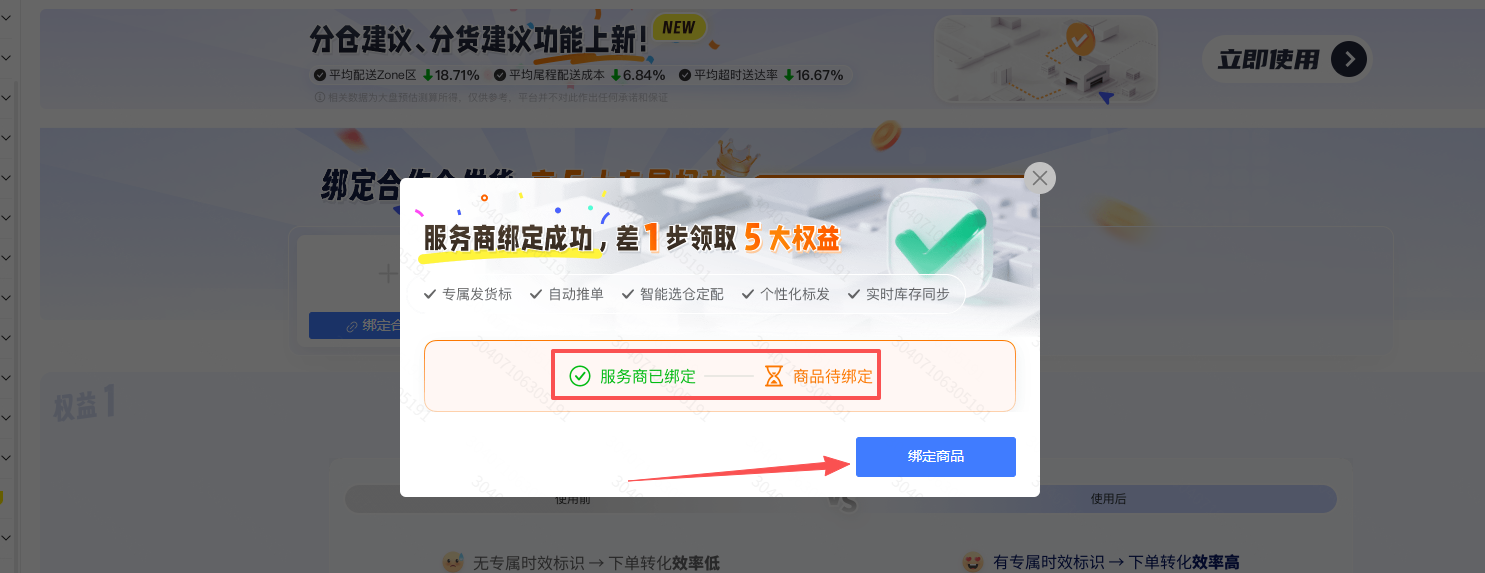
After completing the authorization process, the usage status of the [Yangcheng International] receiving warehouse where you have been assigned will be displayed as "Successfully Registered".
III. Cooperation and Linkage of Warehouse Goods Matching
1. After the authorization is completed, the platform will automatically match your goods. Please note that the platform will use the SKU item number you maintained when creating the product to match the product code of the storage warehouse system. If the two are consistent, the goods can be automatically matched without the need for manual binding.
Path for maintaining SKU goods: Product Management - Product List - Operation - Edit - Maintain Item Number
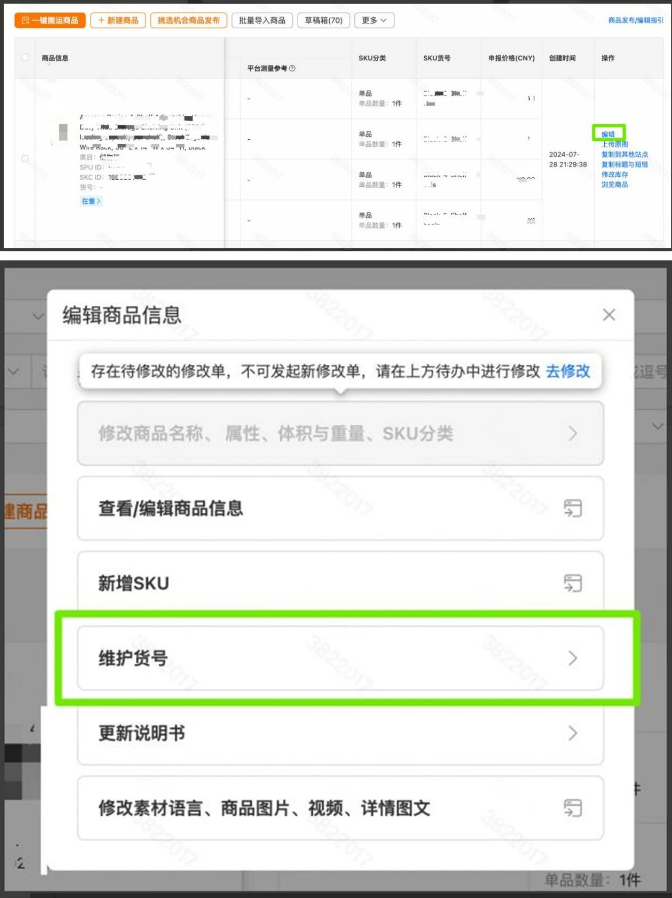
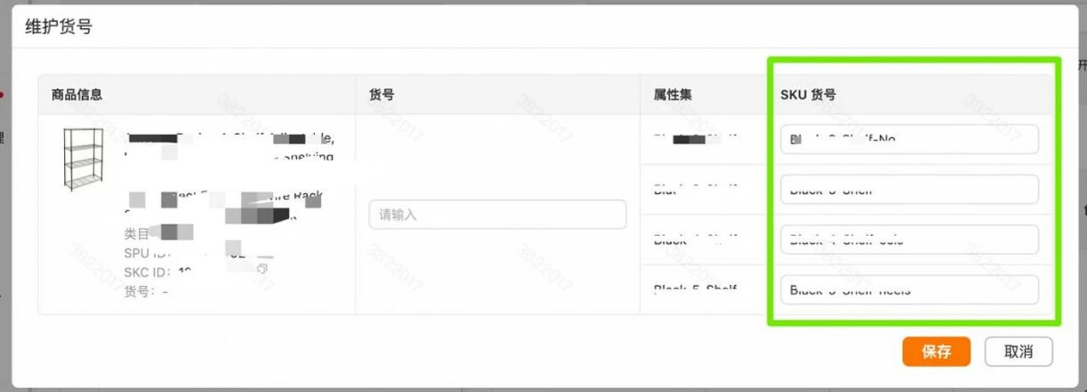
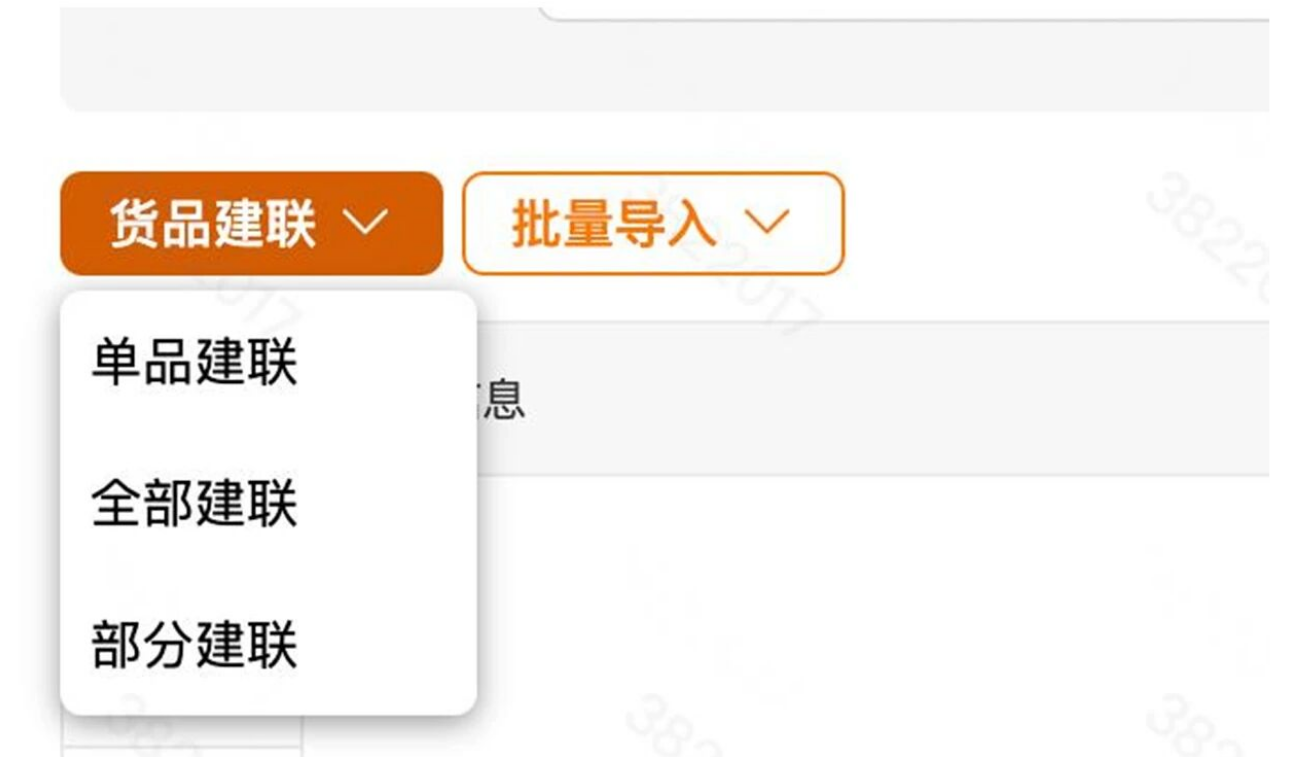
2. Click on "Product Linking", and select either "All Linking" or "Partial Linking" as per your requirements. For partial linking, you must first check the items you wish to link.
3. Select the service provider. Only one service provider can be selected at a time. If there is only one authorized service provider, it will be automatically filled in. If you need automatic matching of goods, please check the box below.
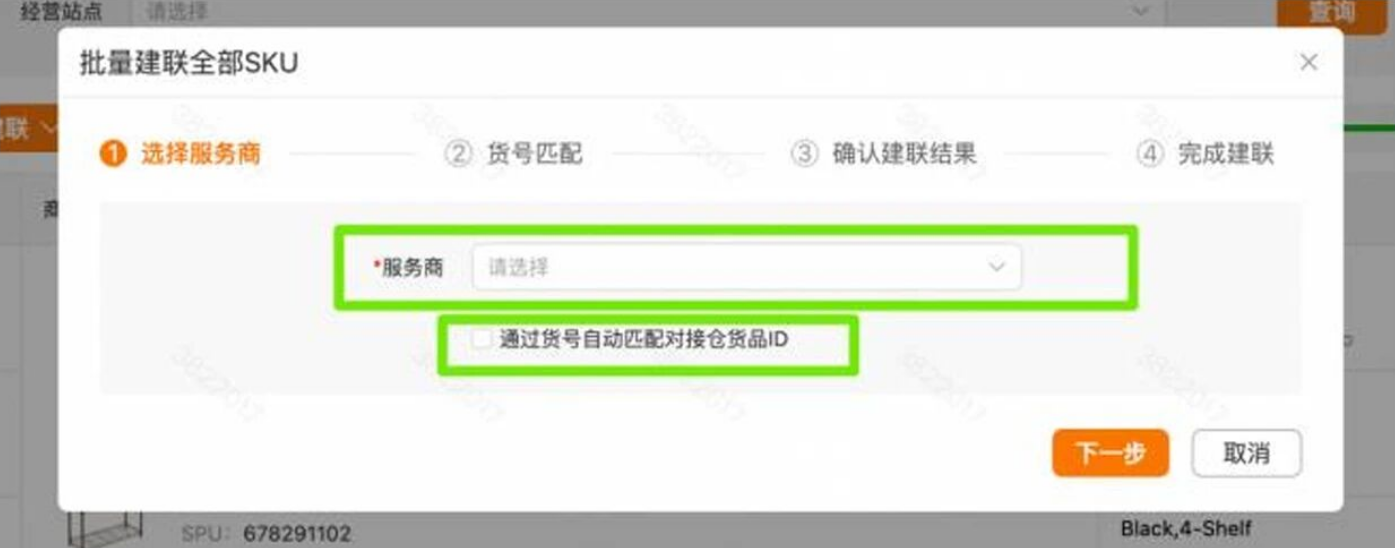
4. Click "Confirm Association Results" to view and confirm the matching results.
IV. How to Switch Shipping Modes
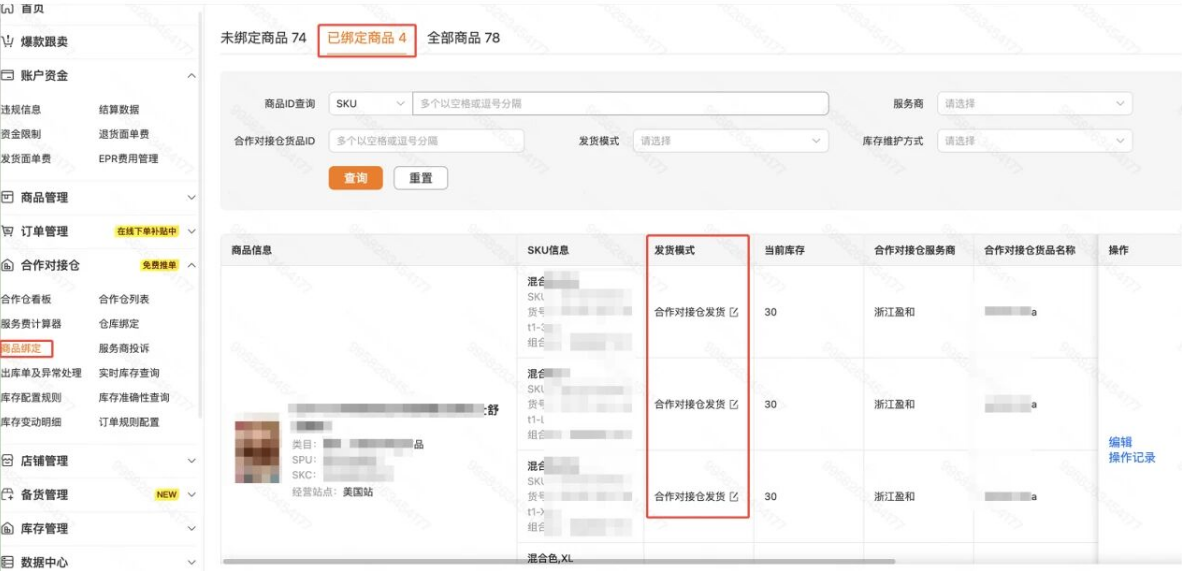
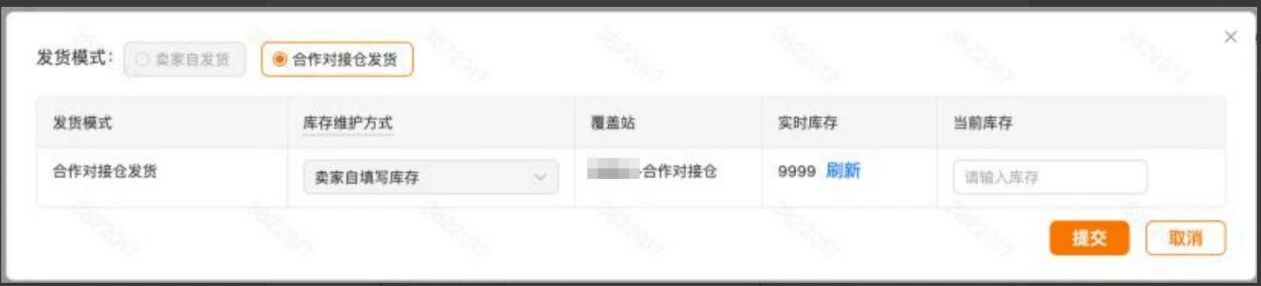
If there is a failure in switching the shipping mode or if you need to change the original setting of "Seller Self-Shipment" to "Cooperative Distribution Warehouse Shipping", please make the switch in the shipping mode of the linked products list.
When the shipping mode changes from "Seller Self-Ship" to "Cooperative Connecting Warehouse Ship", the real-time inventory of the site's warehouse will be displayed for reference.
V. Select Tail-End Mode
After binding the warehouse, you can choose to switch to the tail-end mode.
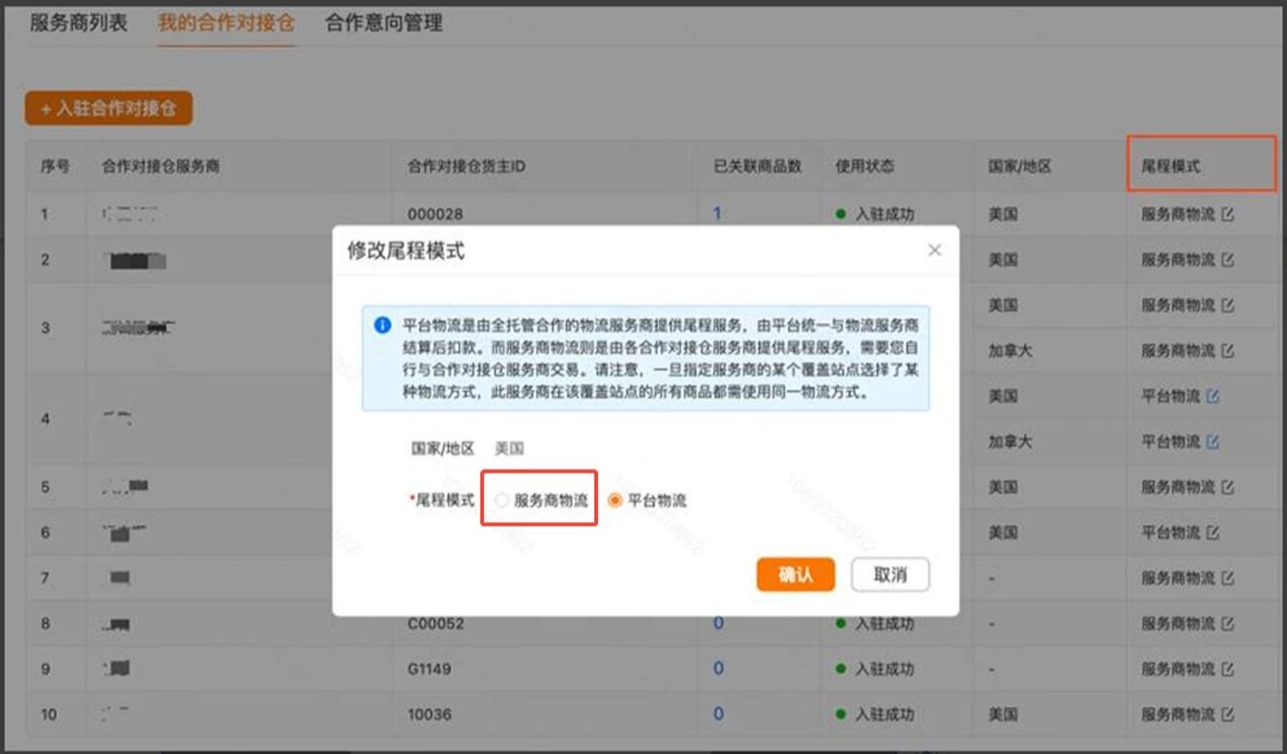
Note: Orders generated before switching to the last-mile delivery mode will still be processed according to the original delivery method. Orders generated after the switch can be directly processed for delivery on the platform.
Address:22nd Floor, Block A, Liandu Building Futian Street, Yiwu City, Zhejiang Province
Telephone:0579-85391393
Cell phone:13216796913
;)